> For the complete documentation index, see [llms.txt](https://docs.optionalpha.com/llms.txt). Markdown versions of documentation pages are available by appending `.md` to page URLs; this page is available as [Markdown](https://docs.optionalpha.com/tools/bots/decision-actions.md).
# Decision actions
Decision actions allow bots to conditionally follow yes/no paths inside an automation. Learn how decision recipes reference different market, positions, and opportunity criteria.
## Decisions
Decision recipes are the core components of creating sophisticated trading automations. These pre-built logic blocks handle a wide range of conditions, from simple price movements to complex market indicators and trade performance metrics. By understanding and effectively combining these recipes, you can construct automations that align precisely with your trading strategy.
#### Types of Decision Recipes
* Symbol-Based Decisions: These recipes focus on the characteristics of a specific symbol. You can evaluate its price, volatility, or other properties specific to the symbol referenced.
* Indicator-Based Decisions: Based on technical indicators, these recipes allow you to assess market trends and conditions. You can set conditions on daily closing values of indicators for the assigned symbol.
* Position-Based Decisions: Evaluate the performance of an open position using various metrics and statistics. These decisions are crucial for managing risk and optimizing profits.
* Bot-Based Decisions: Analyze the behavior and performance of your bot itself. You can check specific bot properties and metrics to make adjustments to your strategy.
* Opportunity-Based Decisions: Focus on the characteristics of a potential trade opportunity before it's opened. You can filter opportunities based on specific criteria.
* General Decisions: These versatile recipes cover broader conditions like time of day, day of week, and economic news events.
### Conditional Actions
Conditional actions function similarly to decision actions. However, instead of following a "Yes" or "No" branch, it allows you to evaluate a subset of criteria by doing the actions on the "Yes" path if the conditional is true.
If the answer is "Yes" it continues down the conditional path, following "Yes" logic before returning to the original automation flow. If the answer to the condition is "No," the automation simply continues to the next action.
For example, in the image below, the conditional action asks if the VIX is below 40. If 'Yes," the bot loops through its bot symbols and checks if the included tickers are above their 50-day SMA. If they are, the symbol is tagged 'uptrend;' if not, the symbol is not tagged. The decisions nested under the conditional end and the bot continues back down the original automation path, opening a short put spread on symbols with the tag.
[This blog and video](https://optionalpha.com/blog/use-tagged-symbols-to-find-trade-ideas) provide a guided step-by-step breakdown of using the Conditional action in this example.
#### Building Your Automation Logic
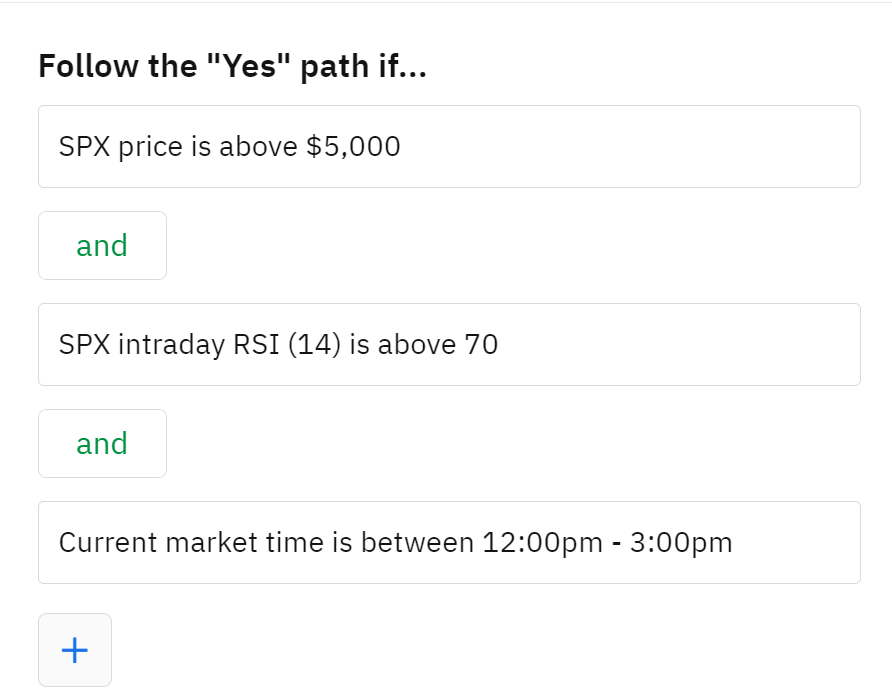
Decision recipes are the building blocks for your automation's logic flow. By connecting these recipes in various combinations, you can create complex conditions that trigger different actions. For example, you might combine a symbol-based decision (price above a certain level), an indicator-based decision (RSI overbought), and a time-based decision (specific trading hours) to open a short position.
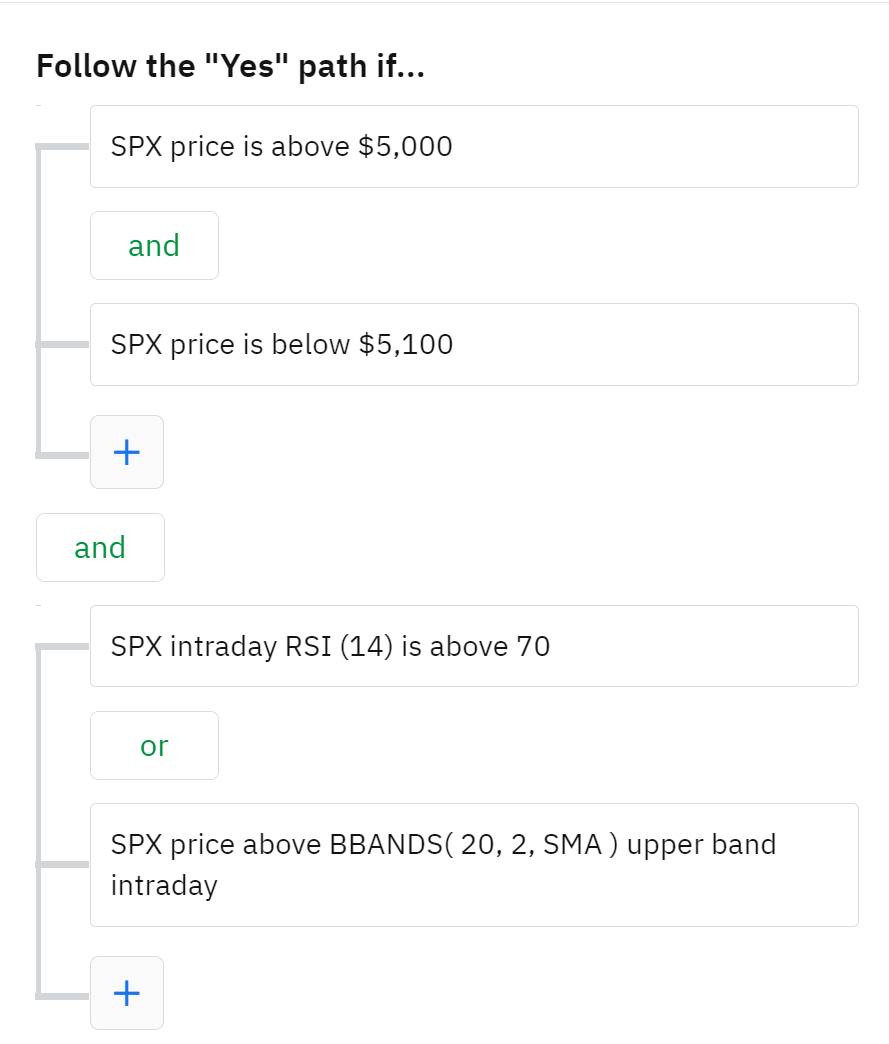
Additionally, you can group decisions together using Or and And conditions which enhances the logic being checked even further. For example, you may want to check for a situation where one, or the other, conditions could be true for a trade to be attempted. Lets build off the previous example; in this case we'll use an Or condition to build a decision that is checking if the RSI is overbought above 70 or that the price is above Bollinger Band High Band Level.
#### Leveraging the Editor for Efficiency
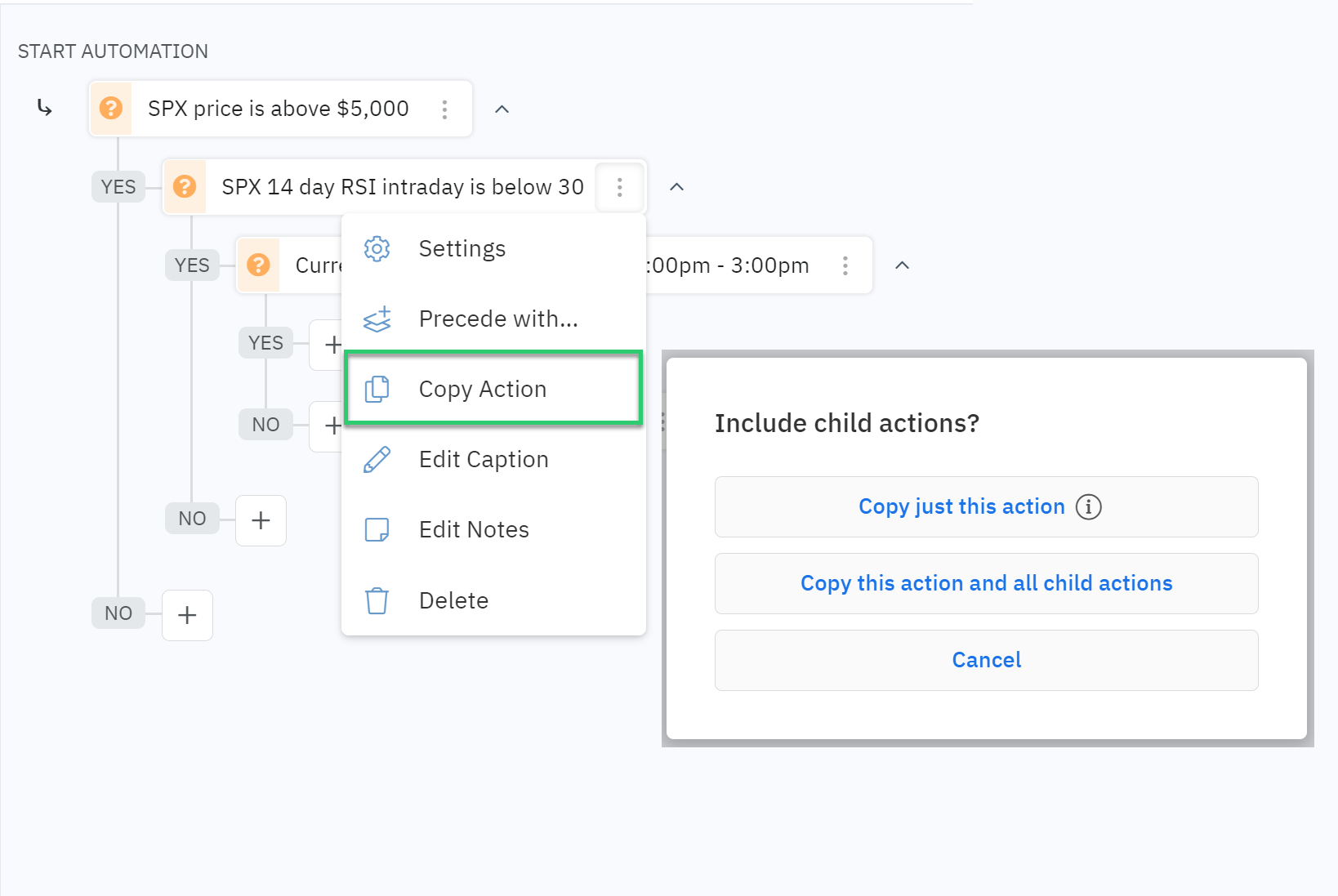
Option Alpha's editor is designed to streamline the automation building process. One of its powerful new features is the ability to copy and paste groups of decisions. This allows you to reuse complex logic structures across multiple automations, saving you time and effort.
By mastering the art of combining decision recipes, you can create highly customized and effective trading automations. Experiment with different combinations to find the strategies that best suit your trading style.