> For the complete documentation index, see [llms.txt](https://docs.optionalpha.com/llms.txt). Markdown versions of documentation pages are available by appending `.md` to page URLs; this page is available as [Markdown](https://docs.optionalpha.com/technical-documentation/troubleshooting/bot-event-loops.md).
# Bot Event Loops
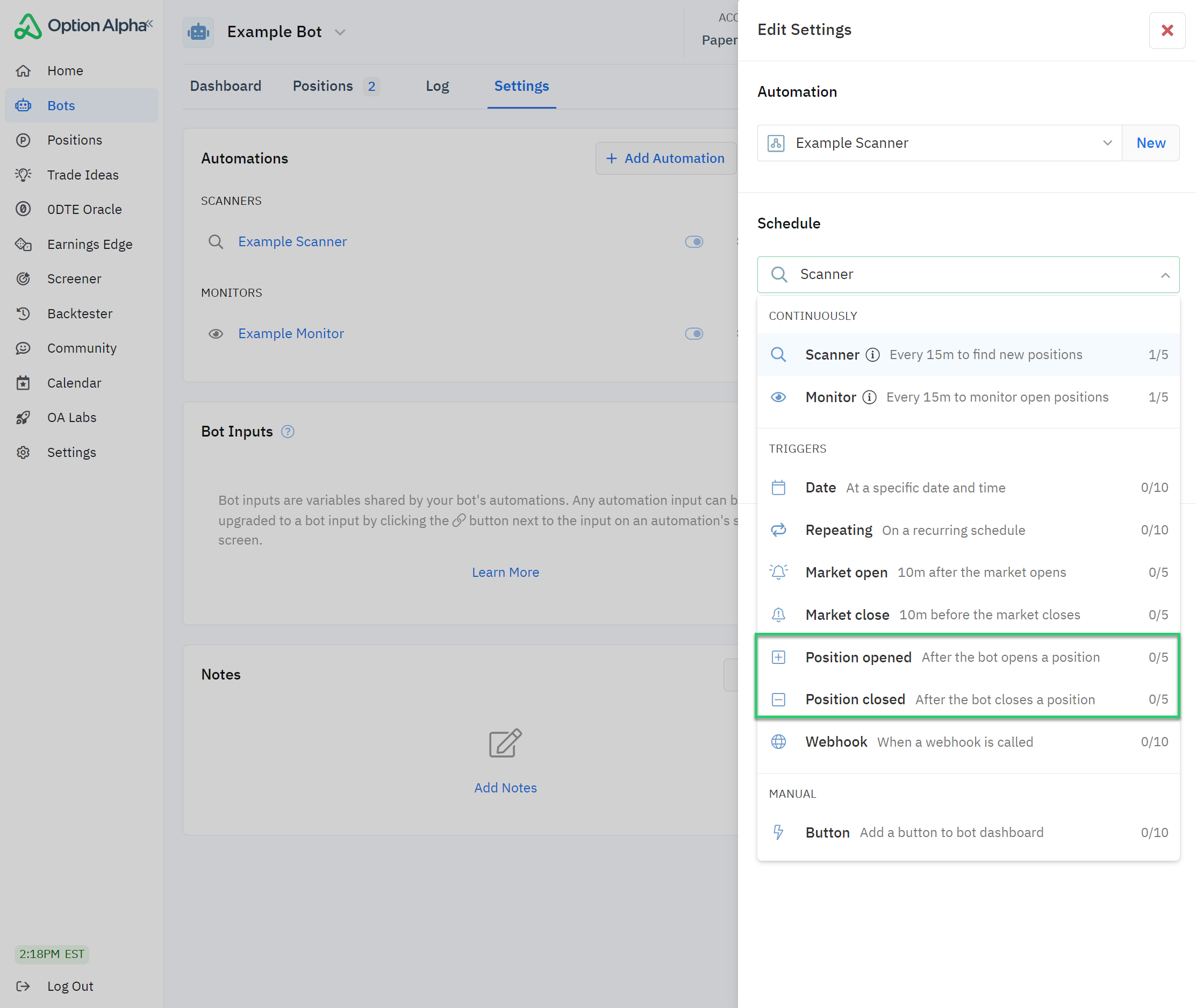
Bot event loop errors may occur in positions that are triggered by an open position or close position event.
## Bot Event Loops
Bots have safeguards and limits that alert you when an automation encounters an error. These safeguards were created to protect traders and require you to think critically about your trade setup from entry to exit.
Bot event loops typically occur in bots that run on event triggers. The error can happen if you’re not careful when using open position or close position actions inside an automation.
Bots have [position limits](https://optionalpha.com/help/position-limits) and [capital allocation limits](https://optionalpha.com/help/capital-warnings) for an important reason. The limits prevent the bot from entering a “looping” scenario where it opens and closes positions beyond the limits you’ve set in the bot’s global settings.
“Position opened” triggers tell the bot to run an automation once instantly after the bot opens a position. “Position closed” triggers tell the bot to run an automation as soon as a position is closed.
Event loops are a unique situation where positions are opened or closed because of related events and subsequently become stuck in a “loop.”
For example, an event could automatically open a position when another is closed. Closing the position could trigger another event that immediately opens a new position, thereby causing the bot to enter and exit positions in an endless loop.
The event loop will cause the bot to reach its daily and/or total position limit.
The bot event loop error is a specific, deliberate error you can encounter if you’re not careful setting up your event automation actions Be sure to always think through the process when creating your bots, and don’t forget to [test your automations](https://optionalpha.com/help/testing-automations) and paper trade to avoid these situations!